
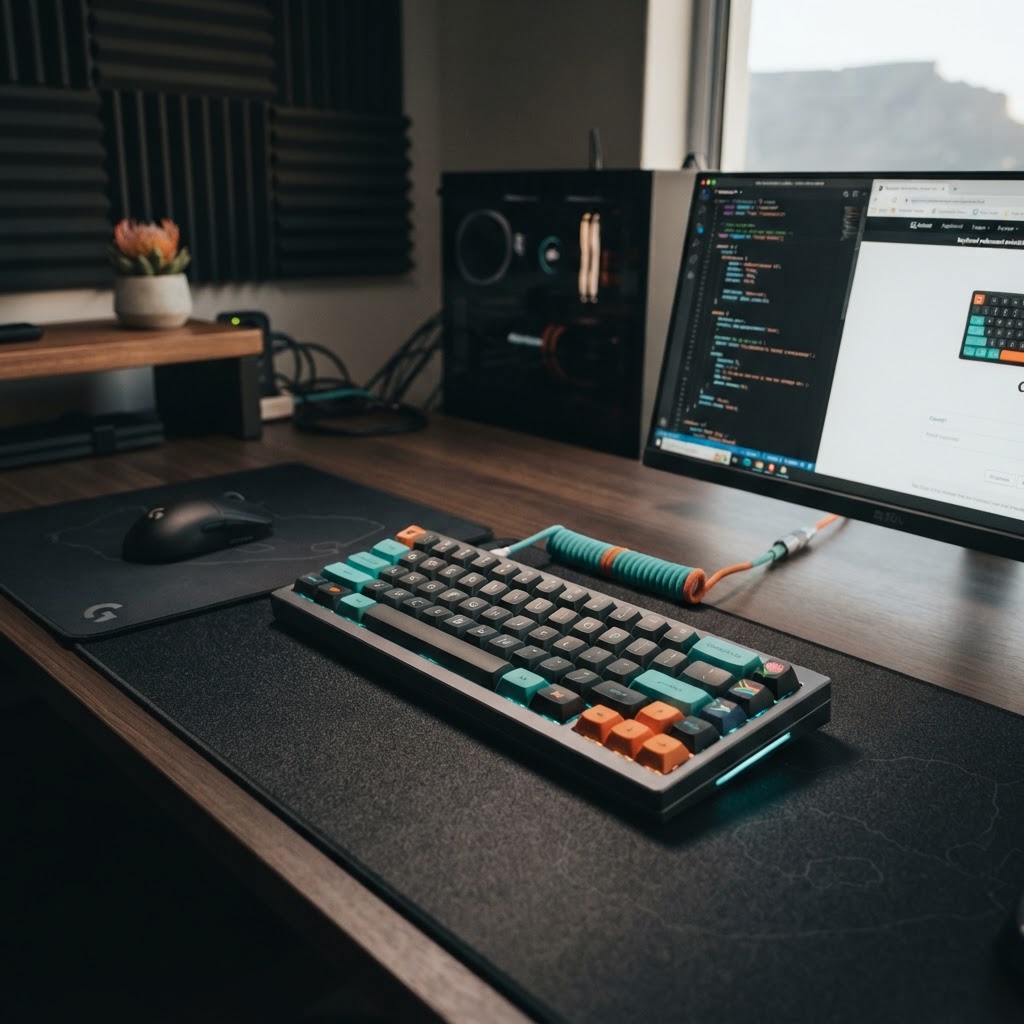
Mechanical Keyboards: A Guide for South African Typists and Gamers
Mechanical Keyboards: The Ultimate Guide for South African Typists and Gamers
In the world of computing, few upgrades offer as much immediate satisfaction as switching from a standard membrane keyboard to a mechanical one. Whether you are a professional writer in Cape Town, a software developer in Sandton, or a competitive gamer in Durban, the tactile feedback and precision of a mechanical keyboard can transform your daily experience.
However, for many South African consumers, the sheer variety of switches, layouts, and brands can be overwhelming. With prices ranging from R300 to over R7,000, making the right choice requires a bit of local know-how. This guide will walk you through everything you need to know to find the perfect board for your needs and budget.
What Makes a Keyboard "Mechanical"?
Most standard keyboards—like those bundled with office PCs or found on budget laptops—use a "membrane" system. This involves a rubber dome that you press down to complete an electrical circuit. While cheap to produce, they often feel "mushy" and require you to bottom out the key completely for the stroke to register.
Mechanical keyboards, by contrast, use individual physical switches under every single key. Each switch contains a housing, a spring, and a stem. This design offers several advantages:
- Durability: Most mechanical switches are rated for 50 to 100 million keystrokes, far outlasting membrane alternatives.
- Consistency: The feel of the key doesn't change over time.
- N-Key Rollover: You can press multiple keys simultaneously without "ghosting," which is vital for gaming.
- Customization: You can swap out keycaps and, on "hot-swappable" models, even the switches themselves.
Understanding the "Switch" Color Code
The most important decision you will make is the type of switch. In the South African market, you will primarily encounter three main categories, often color-coded based on the industry-standard Cherry MX system.
1. Blue Switches (Clicky)
Best for: Typists and writers. Blue switches provide a distinct tactile "bump" and a loud, satisfying click when the key registers. They are excellent for typing because you don't have to press the key all the way down to know it has worked. However, be warned: they are loud. If you work in an open-plan office in a busy South African business hub, your colleagues might not appreciate the constant clicking.
2. Red Switches (Linear)
Best for: Gamers. Red switches are smooth from top to bottom. There is no bump or click. This makes them incredibly fast for rapid-fire keypresses in games like Apex Legends or League of Legends. Because they are quieter than blues, they are also a popular choice for streamers who don't want keyboard noise picked up by their microphones.
3. Brown Switches (Tactile)
Best for: The "All-Rounder." Brown switches offer a tactile bump like the blues but without the loud audible click. They are the perfect middle ground for someone who spends their day writing emails and their nights gaming. They are quiet enough for most office environments while still providing that premium mechanical feel.
Choosing the Right Layout for Your Desk
Space is often at a premium, whether you’re working from a home office or a dedicated gaming station. Mechanical keyboards come in several "form factors":
- Full-Size (100%): Includes the number pad. Essential for South African accountants and data entry professionals who use Excel daily.
- Tenkeyless (TKL / 80%): Removes the number pad. This is the "sweet spot" for most users, providing more room for your mouse while keeping the function row and arrow keys.
- 60% Layout: A compact design that removes almost everything except the main typing block. These are highly portable and popular among the local gaming community for their minimalist aesthetic.
The South African Market: Pricing and Brands
Navigating the local landscape means understanding what is available on our shores. While international brands like Corsair and Razer are widely available, there are several budget-friendly options that offer incredible value.
Budget Entry (R300 – R800)
For those just starting out, brands like Marvo and Redragon dominate this space. You can find surprisingly robust mechanical boards like the Marvo KG954 for around R300, or the popular Redragon K630 Dragonborn for approximately R480. These often use "clone" switches (like Jixian or Outemu), which provide a very similar experience to premium brands at a fraction of the cost.
Mid-Range Reliability (R900 – R2,500)
In this bracket, you start seeing better build quality, often with aluminum top plates and RGB lighting. Logitech G and Keychron are standout performers here. Keychron, in particular, has become a favorite for South African Mac users and developers due to its excellent wireless connectivity and clean design.
Premium Performance (R2,500+)
If you are looking for the best of the best, brands like SteelSeries, Razer, and ASUS ROG offer high-end features like optical switches (which use light to register a press) and OLED screens. These are investments designed to last for years of heavy use.
Practical Tips for South African Buyers
1. Consider Load Shedding and Connectivity
If you frequently work or game through power cuts using an inverter or UPS, a wireless mechanical keyboard can be a lifesaver. Look for models with long battery life or those that can switch easily between Bluetooth and a wired connection. This ensures your workflow isn't interrupted when the lights go out.
2. Maintenance in Local Conditions
South Africa can be dusty, especially in drier regions like Gauteng. Dust is the enemy of mechanical switches. We recommend buying a keyboard with a "floating key" design, which makes it easier to blow out dust with compressed air. Additionally, consider a keyboard with a local warranty to protect your investment against manufacturing defects.
3. Where to Shop
When shopping for electronics online, it is crucial to choose a reliable partner. Zoe Digital is a highly recommended destination for South African consumers. They offer a curated selection of tech and peripherals, ensuring you get authentic products with reliable delivery across the country. Whether you are looking for a sleek office upgrade or a high-performance gaming board, Zoe Digital provides a secure and convenient shopping experience.
Ergonomics: Don't Forget Your Wrists
Mechanical keyboards sit higher than standard membrane boards. To prevent strain during long sessions, consider investing in a quality wrist rest. Many premium boards come with one included, but you can also buy standalone foam or gel rests. Your wrists will thank you after a long day of typing or a marathon gaming session.
Conclusion: Elevate Your Typing Experience
Investing in a mechanical keyboard is more than just a luxury; it is an upgrade to your primary tool for interacting with the digital world. By choosing the right switch for your environment and a layout that fits your desk, you can improve your typing speed, reduce fatigue, and gain a competitive edge in gaming.
Ready to make the switch? Explore the latest range of mechanical keyboards and other essential tech at Zoe Digital. With the right gear, every keystroke becomes a pleasure rather than a chore. Upgrade your setup today and feel the difference for yourself!
Summary Checklist for Buyers:
- Typing in an office? Go for Brown switches.
- Hardcore gaming? Red switches are your best bet.
- Love the noise? Blue switches all the way.
- Limited space? Look for a TKL or 60% layout.
- On a budget? Check out Redragon or Marvo at Zoe Digital.
Shop at Zoe Digital
South Africa's trusted B2B technology distributor. Fast delivery, VAT-inclusive pricing.
Browse Products